AnimatedCrossFade
Purpose
Cross-fades between two known children, the box moving between their sizes.
Signature
pub struct AnimatedCrossFade<Msg = crate::callback::Callback> { .. }

impl AnimatedCrossFade {
    pub fn new(
        first: impl Widget<Msg> + 'static,
        second: impl Widget<Msg> + 'static,
        show_first: bool,
        duration: f32,
    ) -> Self;
}
Example
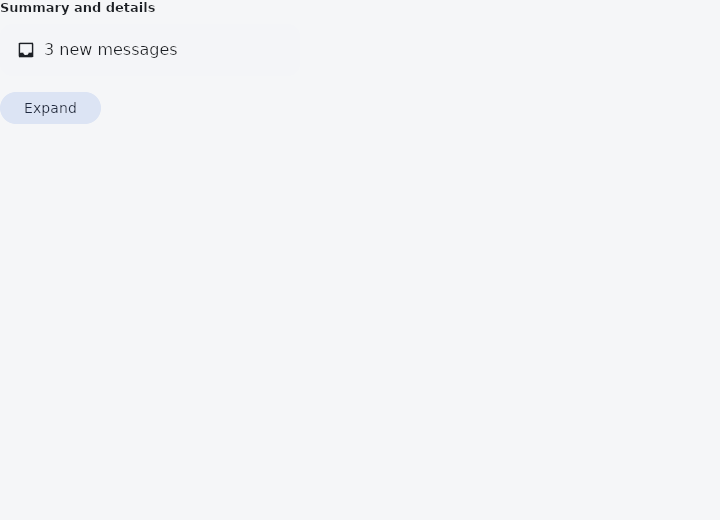
From frus-examples/widgets/src/features/animation/widgets/animated_cross_fade.rs:
//! `AnimatedCrossFade` — shows one of two children and cross-fades to the other when told
//! to, the box moving between their two sizes as they fade.
//!
//! Reach for it when the two states are known in advance (collapsed / expanded, a
//! summary / its details); `AnimatedSwitcher` is for a value that can be anything.

use frus::{
    component, Align, AnimatedCrossFade, Button, Column, Container, Curve, Icon, Icons, Row, Text,
    Variant, Widget,
};

use crate::common::shared::{section, sections};

pub fn example() -> Box<dyn Widget> {
    Box::new(component(|cx| {
        let expanded = cx.use_state(|| false);
        let open = expanded.get();
        let scheme = &cx.theme().scheme;

        // The first child: one line.
        let summary = Row::new()
            .spacing(8.0)
            .cross_axis_alignment(Align::Center)
            .child(Icon::new(Icons::INBOX).size(20.0))
            .child(Text::new("3 new messages"));

        // The second: taller, with more in it. The box grows from one height to the other
        // while the two fade.
        let details = Column::new()
            .spacing(6.0)
            .cross_axis_alignment(Align::Start)
            .child(Text::new("Ada — Lunch on Friday?"))
            .child(Text::new("Grace — The build is green"))
            .child(Text::new("Alan — Notes from the meeting"));

        let card = Container::new()
            .width(300.0)
            .padding(16.0)
            .radius(12.0)
            .color(scheme.surface_container)
            .child(
                AnimatedCrossFade::new(summary, details, !open, 0.3)
                    // Each child fades on its own curve, and the size on a third.
                    .first_curve(Curve::ease_out())
                    .second_curve(Curve::ease_in())
                    .size_curve(Curve::ease_in_out()),
            );

        let toggle = expanded.clone();
        sections(vec![Box::new(section(
            "Summary and details",
            Column::new()
                .spacing(12.0)
                .cross_axis_alignment(Align::Start)
                .child(card)
                .child(
                    Button::new(if open { "Collapse" } else { "Expand" })
                        .variant(Variant::Tonal)
                        .on_press(move || toggle.update(|open| *open = !*open)),
                ),
        ))])
    }))
}
Properties
| Method | Argument | Effect |
|---|---|---|
.first_curve() | curve: Curve | The easing of the first child's fade. |
.second_curve() | curve: Curve | The easing of the second child's fade. |
.size_curve() | curve: Curve | The easing of the box's move between the two sizes. |
.alignment() | alignment: Alignment | — |
Behaviour
Shows one of two children, and cross-fades to the other when told to, the box moving between their sizes as they fade.
use frus_widgets::{text, AnimatedCrossFade};
let summary = AnimatedCrossFade::<()>::new(
    text("Three tasks"),
    text("Buy milk, write code, call Mum"),
    !expanded,
    0.25,
);
The child that is not shown takes no taps and is not read out, and neither is the one on its way out. Both children fill the width the cross-fade is given.
See also
- AnimatedSize: a box that follows its child's size over time instead of jumping.
- AnimatedSwitcher: the old child leaves as the new one arrives when the value changes.
- Fade, Slide, Scale & Size transitions: explicit transitions driven by a number the app owns: an AnimationController.
- DecoratedBoxTransition & DefaultTextStyleTransition: a whole decoration or text style, part of the way from one to another.
- Curve: the shape of a motion, separate from its duration.
- The guide: Animation
- API reference:
AnimatedCrossFade
Source: crates/frus-widgets/src/crossfade.rs @ e6fba33f5b42