Breadcrumb
Purpose
The trail from the top of a hierarchy to the current page.
Signature
pub struct Breadcrumb<Msg = crate::callback::Callback> { .. }

impl Breadcrumb {
    pub fn new<R: crate::callback::IntoMsg<Msg>>(on_select: impl Fn(usize) -> R + 'static) -> Self;
}
Example
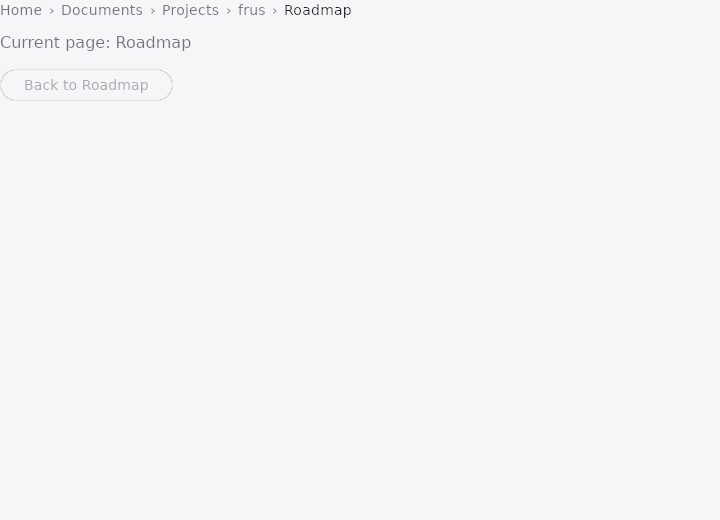
From frus-examples/widgets/src/features/display/widgets/breadcrumb.rs:
//! `Breadcrumb` — the trail from the top of a hierarchy to the current page. Every
//! segment but the last can be clicked to go back up.

use frus::{Align, Breadcrumb, Button, Column, Text, Variant, Widget};

const PATH: [&str; 5] = ["Home", "Documents", "Projects", "frus", "Roadmap"];

pub fn example() -> Box<dyn Widget> {
    Box::new(frus::component(|cx| {
        // How deep we are: the trail shows `PATH[..=depth]`.
        let depth = cx.use_state(|| PATH.len() - 1);

        // `on_select(i)` reports the segment clicked; going there means cutting the trail.
        let go_up = depth.clone();
        let trail = PATH[..=depth.get()].iter().fold(
            Breadcrumb::new(move |i: usize| go_up.set(i)),
            |trail, label| trail.crumb(*label),
        );

        let reset = depth.clone();
        Box::new(
            Column::new()
                .spacing(12.0)
                .cross_axis_alignment(Align::Start)
                .child(trail)
                .child(
                    Text::new(format!("Current page: {}", PATH[depth.get()]))
                        .color(cx.theme().muted),
                )
                .child(
                    Button::new("Back to Roadmap")
                        .variant(Variant::Outlined)
                        .enabled(depth.get() + 1 < PATH.len())
                        .on_press(move || reset.set(PATH.len() - 1)),
                ),
        )
    }))
}
Properties
| Method | Argument | Effect |
|---|---|---|
.text_style() | style: TextStyle | The segments' type, over the theme's and the framework's. |
.crumb() | label: impl Into<String> | Adds a segment (at the end of the trail). |
Behaviour
A controlled breadcrumb trail.
See also
- Timeline: a vertical chronology of events joined by a line.
- Tree: a hierarchy of rows that expand, collapse and select.
- The guide: Text, colour and the theme
- API reference:
Breadcrumb
Source: crates/frus-widgets/src/breadcrumb.rs @ e6fba33f5b42