ColorFiltered
Purpose
Changes the colours of everything a child paints.
Signature
pub struct ColorFiltered<Msg = crate::callback::Callback> { .. }

impl ColorFiltered {
    pub fn new(filter: ColorFilter) -> Self;
    pub fn grayscale() -> Self;
    pub fn mode(color: Color, blend: BlendMode) -> Self;
}
Example
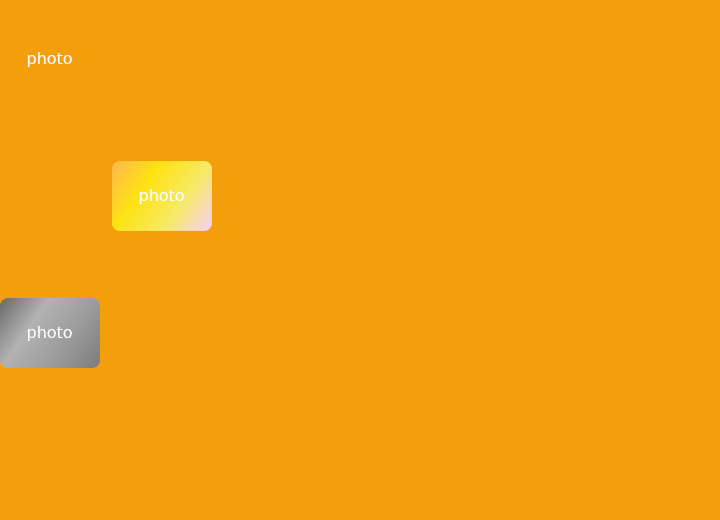
From frus-examples/widgets/src/features/painting/widgets/color_filtered.rs:
//! `ColorFiltered` — changes the colours of everything a child paints: greyscale,
//! sepia, inverted, tinted.
//!
//! A filter is a `ColorFilter` value: a 5 × 4 colour matrix, with ready-made ones for
//! the usual effects, or a colour blended in with a `BlendMode`.

use frus::{
    component, Align, Alignment, BlendMode, BoxDecoration, Color, ColorFilter, ColorFiltered,
    Column, Container, LinearGradient, Switch, Text, Widget, Wrap,
};

use crate::common::shared::{section, sections};

pub fn example() -> Box<dyn Widget> {
    sections(vec![
        Box::new(section(
            "Matrices",
            Wrap::new()
                .gap(12.0)
                .run_gap(12.0)
                .child(labelled("original", picture()))
                .child(labelled(
                    "grayscale",
                    ColorFiltered::grayscale().child(picture()),
                ))
                .child(labelled(
                    "sepia",
                    ColorFiltered::new(ColorFilter::sepia()).child(picture()),
                ))
                .child(labelled(
                    "invert",
                    ColorFiltered::new(ColorFilter::invert()).child(picture()),
                ))
                .child(labelled(
                    "saturate 2×",
                    ColorFiltered::new(ColorFilter::saturate(2.0)).child(picture()),
                ))
                .child(labelled(
                    "brightness",
                    ColorFiltered::new(ColorFilter::brightness(0.25)).child(picture()),
                )),
        )),
        // `mode(colour, blend)` blends a colour into every pixel: a multiply tint here.
        Box::new(section(
            "Blend a colour in",
            Wrap::new()
                .gap(12.0)
                .run_gap(12.0)
                .child(labelled(
                    "multiply teal",
                    ColorFiltered::mode(Color::hex("#14B8A6"), BlendMode::Multiply)
                        .child(picture()),
                ))
                .child(labelled(
                    "screen amber",
                    ColorFiltered::mode(Color::hex("#F59E0B"), BlendMode::Screen).child(picture()),
                )),
        )),
        // `enabled(false)` removes the filter entirely (no layer at all) — the way to
        // switch an effect off, here a "greyed out" state.
        Box::new(section("Switched by state", toggled())),
    ])
}

fn toggled() -> impl Widget {
    component(|cx| {
        let grey = cx.use_state(|| true);
        let on = grey.get();
        Box::new(
            Column::new()
                .spacing(8.0)
                .cross_axis_alignment(Align::Start)
                .child(ColorFiltered::grayscale().enabled(on).child(picture()))
                .child(Switch::new(on).on_toggle(move |value| grey.set(value))),
        )
    })
}

/// A colourful 100 × 70 stand-in for a photo.
fn picture() -> Container {
    Container::new()
        .width(100.0)
        .height(70.0)
        .decoration(
            BoxDecoration::default().radius(8.0).gradient(
                LinearGradient::new(vec![
                    Color::hex("#EF4444"),
                    Color::hex("#EAB308"),
                    Color::hex("#22C55E"),
                    Color::hex("#3B82F6"),
                ])
                .between(Alignment::TOP_LEFT, Alignment::BOTTOM_RIGHT),
            ),
        )
        .alignment(Alignment::CENTER)
        .child(Text::new("photo").color(Color::hex("#FFFFFF")))
}

fn labelled(label: &str, child: impl Widget + 'static) -> Column {
    Column::new()
        .spacing(4.0)
        .child(child)
        .child(Text::new(label).size(12.0))
}
Properties
| Method | Argument | Effect |
|---|---|---|
.child() | child: impl Widget<Msg> + 'static | Sets the filtered child. |
.enabled() | enabled: bool | Turns the filter off: the child is painted as if this widget were not there, with no layer and no cost. |
Behaviour
Applies a ColorFilter to every pixel of its child: greyscale, a tint, a contrast curve, a silhouette.
Each pixel is transformed on its own, so nothing moves and nothing spreads — the subtree keeps exactly the shape it had. Use ImageFiltered when the effect needs a pixel's neighbours, and BackdropFilter when it should apply to what is painted underneath rather than to the child.
ColorFiltered::new(ColorFilter::grayscale()).child(Image::asset("photo.png"))
ColorFiltered::new(ColorFilter::Mode(theme.primary, BlendMode::SrcIn))
    .child(Icon::new(icons::STAR))   // the icon as a flat silhouette
See also
- CustomPaint: a canvas you draw yourself, with paths, rectangles and the theme's colours.
- ShaderMask: lays a gradient over a child's pixels: gradient text, fades, spotlights.
- ImageFiltered: blurs a child, or grows and shrinks its shapes.
- BackdropFilter: blurs what is painted underneath: frosted glass.
- The guide: Text, colour and the theme
- API reference:
ColorFiltered
Source: crates/frus-widgets/src/filters.rs @ e6fba33f5b42