CarouselView
Purpose
One slide at a time between arrows, controlled by the app.
Signature
pub struct CarouselView<Msg = crate::callback::Callback> { .. }

impl CarouselView {
    pub fn new<R1: crate::callback::IntoMsg<Msg>>(
        index: usize,
        count: usize,
        on_change: impl Fn(usize) -> R1 + 'static,
        slide: impl Widget<Msg> + 'static,
    ) -> Self;
}
Example
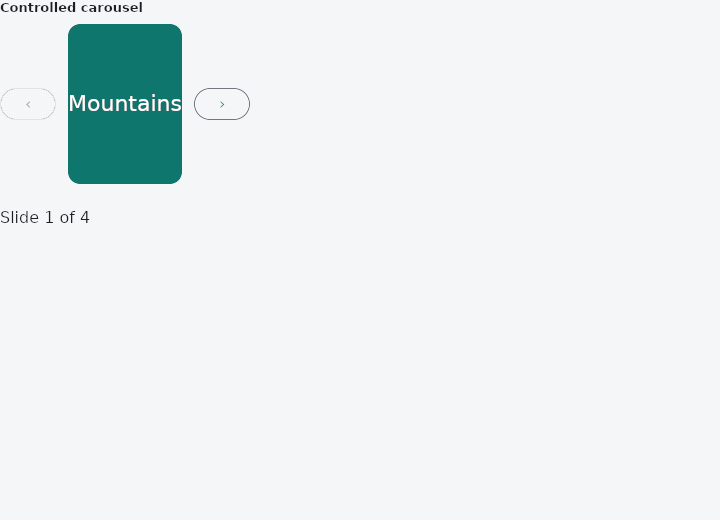
From frus-examples/widgets/src/features/scrolling/widgets/carousel.rs:
//! `CarouselView` — one slide at a time between ‹ and › arrows. It is controlled: the
//! app keeps the index and supplies the slide for it, so only one slide is ever built.

use frus::{CarouselView, Center, Color, Colors, Container, Text, Widget};

use crate::common::shared::{section, sections};

const SLIDES: [(&str, &str); 4] = [
    ("Mountains", "#0F766E"),
    ("Desert", "#B45309"),
    ("Forest", "#15803D"),
    ("Ocean", "#1D4ED8"),
];

pub fn example() -> Box<dyn Widget> {
    Box::new(frus::component(|cx| {
        let index = cx.use_state(|| 0usize);

        // The arrows report the index to go to (an arrow at an end is disabled); the
        // slide is whatever the app builds for the current index.
        let go = index.clone();
        let (name, hue) = SLIDES[index.get()];
        let carousel = CarouselView::new(
            index.get(),
            SLIDES.len(),
            move |i: usize| {
                let go = go.clone();
                frus::Callback::new(move || go.set(i))
            },
            Container::new()
                .height(160.0)
                .radius(12.0)
                .color(Color::hex(hue))
                .child(Center::new(Text::new(name).size(22.0).color(Colors::WHITE))),
        );

        sections(vec![
            Box::new(section(
                "Controlled carousel",
                Container::new().width(320.0).child(carousel),
            )),
            Box::new(Text::new(format!(
                "Slide {} of {}",
                index.get() + 1,
                SLIDES.len()
            ))),
        ])
    }))
}
Properties
No builder methods: everything is set through the constructor.
Behaviour
A controlled carousel.
See also
- GridView: cells in equal columns: a fixed count, as many as fit, or virtualised.
- PageView: a scrollable that always comes to rest on a page.
- ReorderableList: a list whose rows can be dragged into a new order.
- Dismissible: swipe a row aside to archive or delete it.
- ExpansionTile: a list row that opens to show more; several make an accordion.
- The guide: Lists and grids
- API reference:
CarouselView
Source: crates/frus-widgets/src/carousel.rs @ e6fba33f5b42