use_interval
Purpose
A timer owned by a component, on for as long as builds ask for it.
Signature
This demo shows a pattern rather than one type. The names it uses are in the example below, and each one is in the API reference.
Example
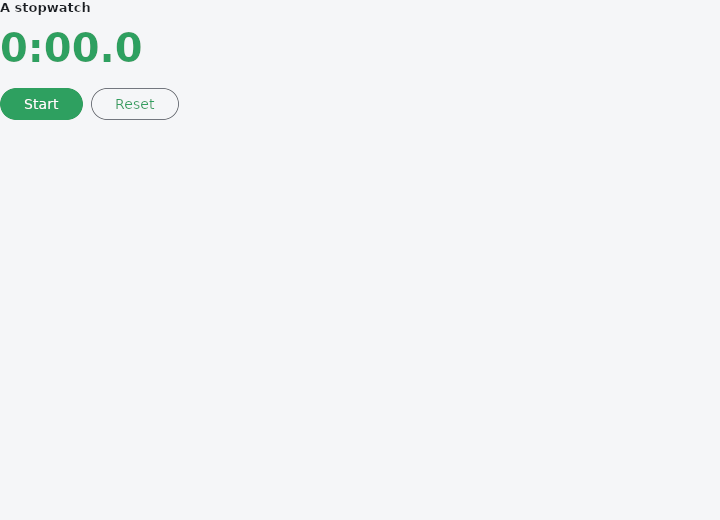
From frus-examples/widgets/src/features/state/widgets/use_interval.rs:
//! `use_interval` — a timer owned by a component: it ticks for as long as builds keep
//! asking for it, and stops by itself when a build does not (or the component goes).
//!
//! Unlike the other hooks it **may** be called conditionally: `if running { .. }` is
//! exactly how a timer is switched on and off.

use std::time::Duration;

use frus::{component, Align, Button, Column, FontWeight, Row, Text, Variant, Widget};

use crate::common::shared::{section, sections};

/// The tick, in tenths of a second.
const TICK: Duration = Duration::from_millis(100);

pub fn example() -> Box<dyn Widget> {
    Box::new(component(|cx| {
        let tenths = cx.use_state(|| 0_u64);
        let running = cx.use_state(|| false);

        // Only while running: the next build without this call stops the timer.
        if running.get() {
            let tick = tenths.clone();
            cx.use_interval(TICK, move || tick.update(|t| *t += 1));
        }

        let t = tenths.get();
        let (toggle, reset) = (running.clone(), tenths.clone());
        let stop = running.clone();
        let display = Text::new(format!("{}:{:02}.{}", t / 600, (t / 10) % 60, t % 10))
            .size(40.0)
            .weight(FontWeight::Bold)
            .color(cx.theme().primary);

        sections(vec![Box::new(section(
            "A stopwatch",
            Column::new()
                .spacing(12.0)
                .cross_axis_alignment(Align::Start)
                .child(display)
                .child(
                    Row::new()
                        .spacing(8.0)
                        .child(
                            Button::new(if running.get() { "Pause" } else { "Start" })
                                .on_press(move || toggle.update(|on| *on = !*on)),
                        )
                        .child(Button::new("Reset").variant(Variant::Outlined).on_press(
                            move || {
                                stop.set(false);
                                reset.set(0);
                            },
                        )),
                ),
        ))])
    }))
}
Properties
See the example.
Behaviour
The example shows it at work; the API reference has every method.
See also
- use_state, use_ref & use_memo: state kept by a function component, with no struct to declare.
- use_effect: work done after a build, rerun when its dependencies change, with a cleanup.
- ValueNotifier, ChangeNotifier & their builders: state outside the widgets that tells whoever cares when it changed.
- use_future & FutureBuilder: work that finishes later: waiting, then the result.
- use_stream & StreamBuilder: work that gives several values as it goes, then finishes.
- The guide: Starting a frus application
Source: frus-examples/widgets/src/features/state/widgets/use_interval.rs @ e6fba33f5b42